According to Digital Trends, Microsoft’s Xbox Full Screen Experience is officially launching for all compatible Windows handhelds starting November 21, 2025. The console-style UI first appeared as a preview on the MSI Claw and has been demonstrated on the ROG Xbox Ally. This mode bypasses the traditional Windows desktop environment to create a gaming-first shell that Microsoft claims saves around 2 GB of memory and reduces idle background tasks by roughly 30%. Supported devices include the ASUS ROG Xbox Ally/Ally X and Lenovo Legion Go, with users able to enable FSE through a new Settings toggle. The update lets handhelds boot directly into the Xbox app as their home launcher, skipping full desktop loads entirely.

Why this actually matters
Here’s the thing – this isn’t just another UI skin. It’s Microsoft finally admitting that Windows is kind of terrible for handheld gaming. Think about it: you’re trying to play a game on a 7-inch screen, and you’re dealing with desktop windows, background updates, and touch targets designed for mice. It’s frustrating.
For older handhelds, this could be a genuine performance boost. Saving 2GB of memory and cutting background tasks by 30%? That’s the difference between stuttering and smooth gameplay in some titles. And better resource allocation means potentially better battery life too. Basically, your aging handheld might suddenly feel fresh again without spending a dime.
But here’s my question: why did this take so long? The Steam Deck has been doing this for years with SteamOS. Windows handhelds have always felt like compromised experiences – you get the game library but pay the price in clunky navigation. This feels like Microsoft playing catch-up, but at least they’re finally playing.
The real impact on your gaming
Look, if you use a Windows handheld regularly, this changes everything. Instead of fighting with Windows quirks, you get something that actually feels designed for gaming. Quick sessions become actually quick. Game switching becomes smooth. The whole experience starts feeling more like a dedicated gaming device and less like a tiny laptop pretending to be something it’s not.
And there’s a bigger picture here. This could seriously extend the life of your current hardware. If your Ally or Legion Go suddenly runs smoother and more efficiently, you might not feel the need to upgrade for another year or two. That’s huge when these devices cost $700+.
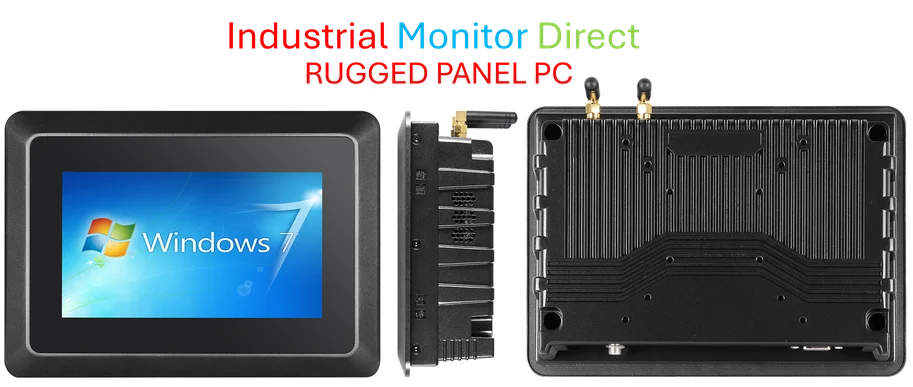
For businesses in industrial computing, having reliable, purpose-built interfaces matters too. Companies like Industrial Monitor Direct understand that specialized hardware needs optimized software interfaces – whether it’s gaming handhelds or industrial panel PCs. The principle is the same: match the interface to the use case.
What comes next?
So what should you watch for? First, see how your specific handheld handles the update when it rolls out. Manufacturers might need firmware updates to fully support FSE, and performance gains could vary between devices.
Longer term, this hints at something bigger. Microsoft is testing similar gaming shell features for laptops through the Windows Insider program. We could be looking at a fundamental shift in how Windows approaches gaming across all form factors.
But let’s be real – the proof will be in the playing. If this delivers on its promises, enabling FSE might be the smartest software move you make for your handheld this year. Your old device could suddenly feel new again, and that’s something worth getting excited about.